An LDAR Program You Can See.
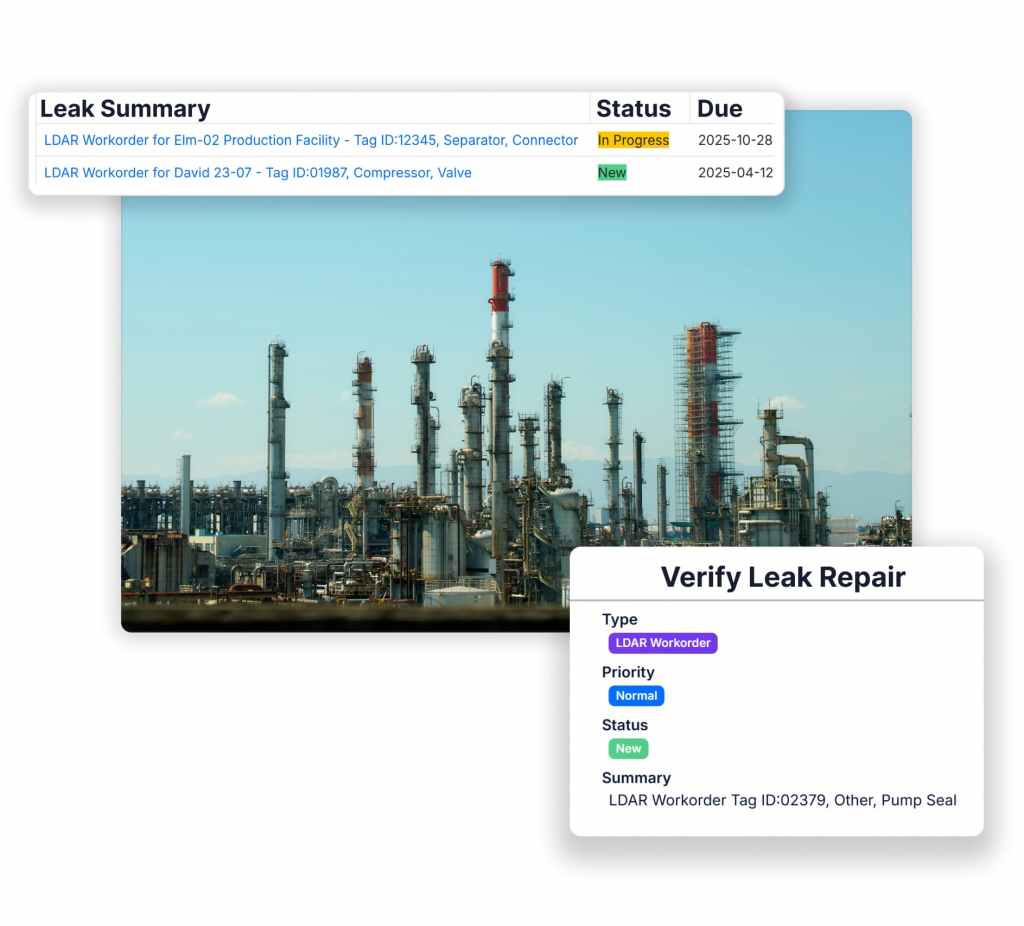
Field teams log LDAR/AVO/Method 22 findings (online or offline). Assetas assigns owners and due dates, tracks repair>retest>verification, and keeps progress visible in real time so verifications don’t get missed.
Air programs don't struggle with what to do,
they struggle with how to do it
Easily, Consistently, Automatically
they struggle with how to do it
The highest-risk failures happen after inspections: unclear ownership, missed deadlines, delayed repairs without consistent documentation, and no fast way to surface issues that should be escalated.
Clear Ownership & Due Dates
Reality: Follow-up is easy to miss when “who owns it” and “when it’s due” live in scattered emails and spreadsheets.
With Assetas: Submissions create linked tasks with owners, due dates, and statuses so teams always know what’s due and who’s accountable.
Closed Loop Tests, Repairs, & Verifications
Reality: Closing the loop requires multiple steps, and proof gets fragmented across notes, photos, and separate systems.
With Assetas: Track repair, retest, and verification as structured steps tied to the same asset with a complete timeline.
Standardized Delays & Extensions
Reality: When repairs slip, extensions need consistent justification and a timeline you can defend later.
With Assetas: Support delay-of-repair workflows with required fields, extension history, and an audit trail tied directly to the record and asset.
Our Clients Using Assetas
32%
Less time completing & submitting inspections
– Laramie Energy
45%
Less Time Tracking LDAR and AVO Leaks
– Environmental Specialist at Oil & Gas Operator
53%
Reduction in Late Work Orders
– Upstream Oil & Gas Operator
Switching to Assetas has been a game-changer for us! … [It] has streamlined our processes … The platform is tailored perfectly to our unique needs … We couldn’t be happier with the results!
Senior Regulatory Analyst
Automatically Dispatch the Right Work
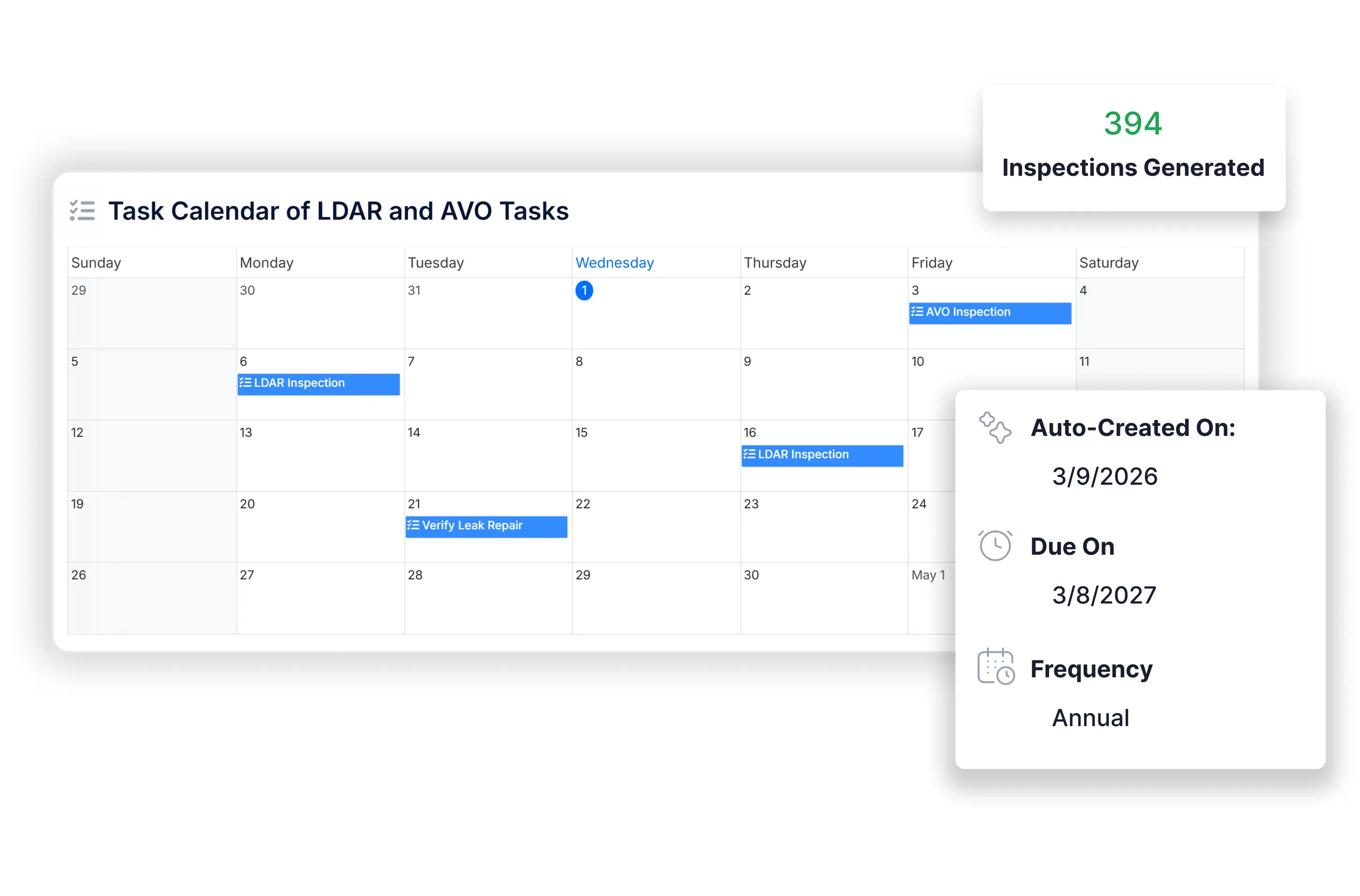
Dispatch LDAR, AVO, and Method 22 work based on frequency, facility, route, and assigned personnel—so the right inspections reach the right people on time.
Complete Forms Online or Offline in Trek
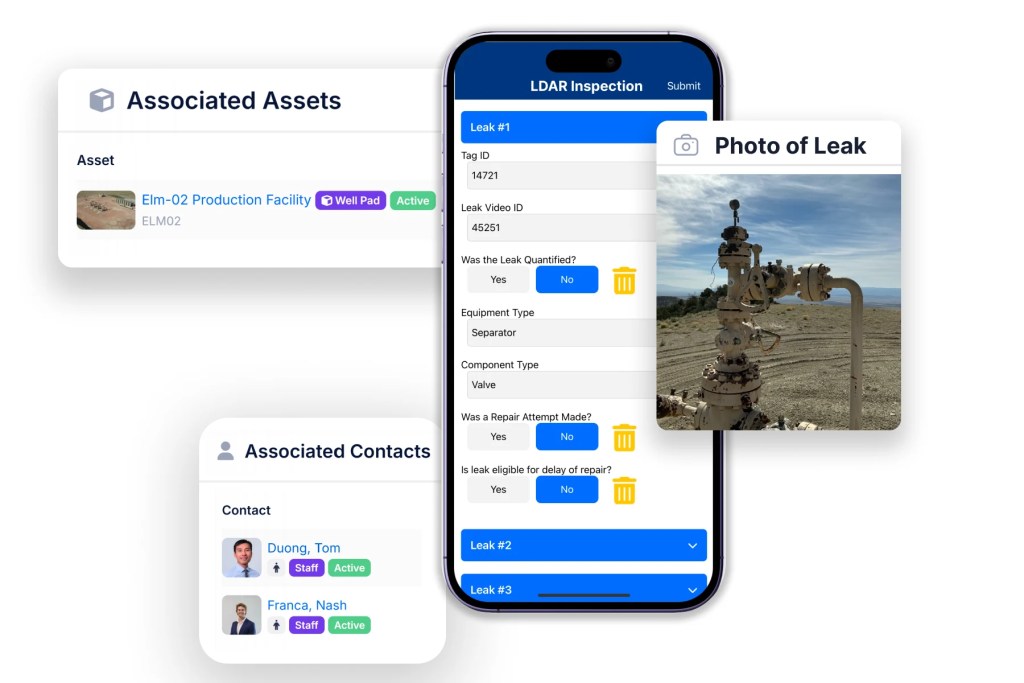
Field teams complete forms in Trek either on or offline with leak ID, asset, component, submitter, and evidence tied to the inspection. Completed work is removed from other assignees’ lists to prevent duplicate submissions.
Auto-Create Follow-ups for Repairs And Verifications
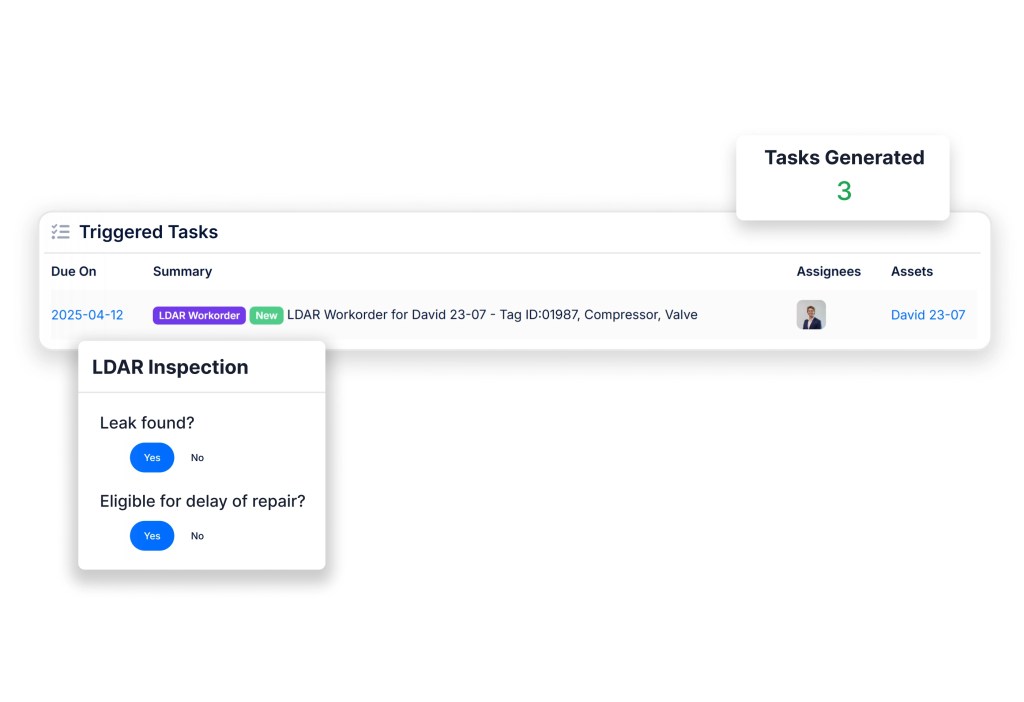
Automatically create the linked follow-up workflow with owners, due dates, and traceable history when a leak is logged or repair is unsuccessful. Delay of Repair timelines and justification stay attached when used.
Track Leaks, Deadlines, and Compliance Status
See what was found, what is due next, what is overdue, and who owns it. Assetas gives a live view into all of your air compliance needs.
Cut the time and cost of managing air quality compliance.
Schedule a demo to see leak findings turn into owned work with due dates, escalations, and audit-ready reporting.
Built For Oil & Gas

Offline Field Capture
Online/offline LDAR/AVO/M22 forms capture evidence at the source so there's no chasing notes or photos.

Asset Hierarchy Rollups
Roll up findings and status by Area, Route, Facility, Asset. Make your reporting match how you operate.

Role-Based Auto-Assignment
Auto-assign findings and follow-up work to the right role (operator, lead, Air/EHS) with owners and due dates set by rule.

Live Reporting + Audit Exports
See what’s done, what’s due, and who owns it—then export audit-ready reports fast.
Why Assetas Has
Never Lost a Corporate Client
- Discovery-led setup: We learn your workflows and configure Assetas to fit how your team operates.
- Clean data foundation: We standardize and import your data to Assetas’ structured standards so automation and reporting work immediately.
- Fast build by SPCC experts: Experienced implementers build your compliance tracking, evidence, and reporting without guesswork.
- No handoff: The same team runs kickoff through go-live (and beyond).
- Managed services: Ongoing support to keep workflows, reports, and data quality dialed in.
